Do you want to make your Instagram profile look unique? You're in the right place.
Instagram Avatars allow you to create a miniature, cartoon-like version of yourself. You can change your hairstyle, outfit, facial features, and more to match your style. You can include it in your stories, emails, and social media profiles.
Instagram allows you to share yourself and see what others are doing. You can even look at private Instagram accounts for ideas and inspiration to see how other people make their profiles unique and distinctive.
This can help you make your own profile more visible. In this post, we will look at what Instagram avatars are and how to personalize them for your profile.
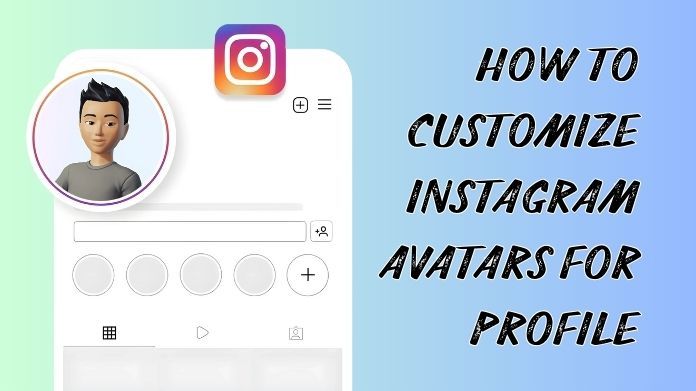
What Are Instagram Avatars?
Instagram Avatars are cartoon representations of oneself that you may share with others on Instagram. You may include them in your profile, stories, comments, or messages.
You can modify their hair, clothing, face, and other characteristics to make them more like you or match your style. They are a fun way to personalize and distinguish your Instagram account.
How to Customize Instagram Avatars?
Creating your own Instagram avatar is a fun way to express your personality online.
Step 1] Open Instagram.
- First, launch the Instagram app on your phone and ensure that you are logged in to your account.
Step 2] Go to your profile.
- Tap your profile photo in the bottom right corner to access your profile page.
Step 3] Find the Avatar section.
- Tap the three-line menu symbol in the top right corner.
- Select Settings & Privacy, then Avatars to begin customizing your own Avatar.
Step 4] Create Your Avatar.
Now you may begin creating your Avatar. Almost everything can be customized to make it appear like you or how you want it to look.
- Skin tone - choose the color that best matches your complexion.
- Choose your hairstyle, length, and color.
- Adjust the eyes, brows, nose, lips, and face shape.
- Clothing and shoes - choose ensembles that reflect your style.
- Add glasses, caps, or earrings to make it unique.
Step 5] Use Your Avatar Everywhere.
- Once your Avatar is completed, you may use it in Instagram stories, direct messages, or as amusing stickers.
- It adds personality and charm to your profile.
Step 6] Save Your Avatar.
- When you are happy with your Avatar, tap Done. Your Avatar is now connected to your profile and ready for use.
Step 7] Change It at Anytime.
- You can return to the avatar section at any time to modify your hairstyle, clothing, or accessories.
Creating your Instagram avatar is a simple and enjoyable way to personalize your profile.
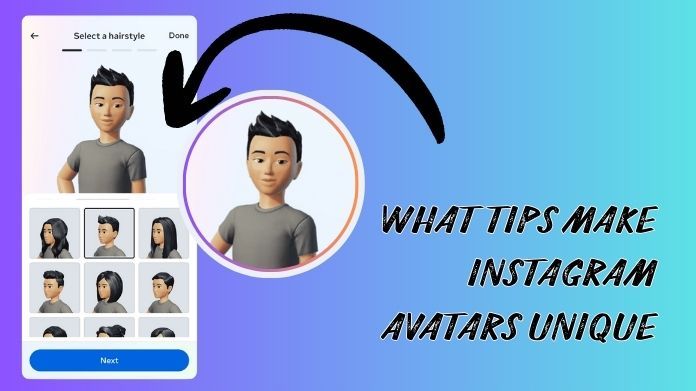
What Tips Make Instagram Avatars Unique?
Creating a unique Instagram Avatar is a fun way to show your personality.
- Personalize Your Features: Choose eye shapes, nose, lips, and skin tone that best resemble you. Small details make a big difference.
- Pick Your Hairstyle: Change hair color, length, and style to match your real-life look or your fun side.
- Add Outfits & Accessories: Clothes, hats, glasses, and jewelry can show your personality and style.
- Show expressions and poses: Smiles, winks, and fun stances make your Avatar appear animated and playful.
- Try seasonal or trending items: Keep your Avatar looking fresh by updating costumes for holidays, seasons, or popular trends.
- Play with colors: The colors of your clothing and accessories, whether bright or subtle, help your Avatar stand out and feel unique.
- Add background or stickers: Fun backgrounds, patterns, and little stickers can help your Avatar stand out.
- Update regularly: Change your Avatar on occasion to reflect your mood, a new style, or significant occasions.
Using these methods, you may create an Instagram Avatar that is unique, amusing, and entirely your own.
Final Words
Customizing your Instagram avatar is a simple way to make your profile more personal and engaging. Your Avatar can express your style and personality, making your profile stand out.
Spend some time selecting characteristics, clothing, and expressions that are uniquely yours. A creative avatar may make a positive first impression on everybody who sees your profile.
About the Author:
I'm June Greathouse, a tech enthusiast working on IMGLooker, a cutting-edge platform designed to help users view content from private Instagram accounts securely and discreetly.
I'm passionate about building tools that combine innovative technology with user privacy, making private Instagram content accessible securely and responsibly.
Reference: Create or edit your Avatar on Instagram. Instagram. https://help.instagram.com/612236439877515